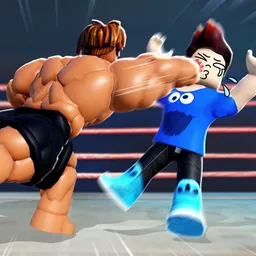
Getting Started in Train to Fight
From first spawn to your first Respect win — the complete beginner loop.
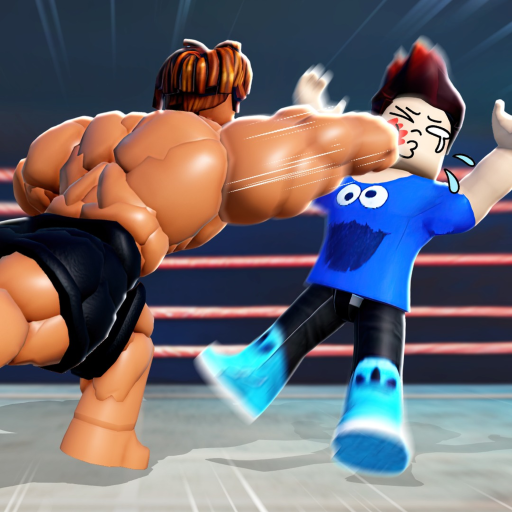
Train to Fight on Roblox is a PvP gym simulator: you click or auto-train four body stats, then fight other players to earn Respect and unlock fighting styles. Boxing Fighters Legend releases weekly updates, so this guide focuses on systems that stay constant even when numbers shift.
Install and launch
- Open Roblox on PC, mobile, or console browser.
- Search Train to Fight and verify the creator is Boxing Fighters Legend.
- Press Play and wait for the hub to load.
- Redeem active promo codes before training — free food accelerates your first hour.
Bookmark our official links hub for the game page, group, and Discord.
The four stats you must train
Your combat power comes from four visible stats:
- Back Muscles — core torso power; often trained first on starter machines.
- Biceps — punch damage scaling.
- Legs — movement and kick-related scaling.
- Agility — speed and dodge responsiveness.
Each stat has dedicated machines marked with icons in the training area. Walk up, interact, and click rapidly (or enable Auto) to fill the bottom training bar. A full bar grants a short speed burst — use it for efficient sessions as described in how to train faster.
Balanced training matters early. A player with huge biceps but weak legs still loses to better-rounded rivals in PvP.
Safe zones vs open PvP
Train to Fight lets you toggle PvP combat while standing in designated safe zones. Outside those areas, anyone can attack you. New players should:
- Train inside safe zones until all four stats reach a comfortable baseline.
- Toggle PvP on only when you are ready to test fights.
- Retreat to safe zones after losing Respect to avoid spawn camping.
Read how to earn Respect before hunting players twice your power level.
Respect — your rank and currency
Respect increases when you defeat other players and decreases when you lose. It unlocks higher-tier fighting styles alongside your total Power rating shown on the HUD. Respect is not spent like coins for every style — some styles require a Respect threshold plus Power; others may cost in-game currency in the Styles menu.
Fighting styles overview
Styles swap your animations and moves — from boxing to anime-inspired kits. You browse them in the Styles menu (requirements listed at the bottom, your stats at the top). Do not rush the most expensive style; mid-tier picks often give better power per Respect spent. See how to unlock styles for a full unlock path.
Shop, food, and game passes
The in-game Shop sells food, boosts, and optional game passes such as damage or Respect multipliers. Food from codes or the shop provides temporary training bonuses. Permanent upgrades live in game passes — evaluate them after you understand the core loop.
Recommended first-hour checklist
- Redeem all active codes.
- Train each stat to at least the same milestone (for example 500–1000 power each).
- Read controls for your platform.
- Enable PvP and win one fight against a similar-power opponent.
- Open Styles and note the next unlock you are closest to.
- Join the official Discord via links for code announcements.
When you plateau
If training feels slow, switch to how to train faster, check food tier list, and review PvP combat tips if you keep losing Respect. The training planner helps identify which stat is lagging behind.
Related pages
Frequently Asked Questions
Quick answers to the most common questions.
Is Train to Fight free on Roblox?
Yes. The base game is free. Optional game passes and shop items cost Robux.
Can I play on mobile?
Yes. Train to Fight supports mobile with on-screen controls. See our controls guide for the layout.
What should I train first?
Balance all four stats early. Neglecting legs or agility makes PvP harder even with high biceps.
How do I avoid losing Respect constantly?
Train in safe zones, fight players near your power level, and toggle PvP off until you are ready.