
Auto-Train in Train to Fight
Passive stat growth, safe AFK sessions, and when manual clicking still wins.
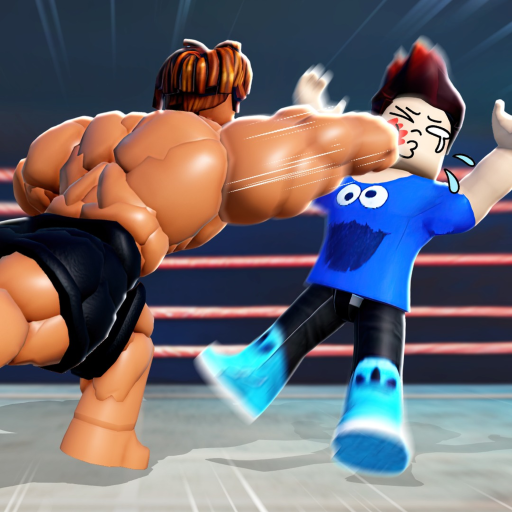
Auto-train is one of the most searched mechanics in Train to Fight because it lets you grow Back Muscles, Biceps, Legs, and Agility without holding down the mouse or screen. Boxing Fighters Legend designed Auto as a convenience mode, not a replacement for manual bursts. This guide explains how to turn it on, where it is safe to use, and how to combine AFK grinding with active sessions so you do not lose Respect or food buffs.
What auto-train does
When you interact with a gym machine, the UI offers a toggle commonly labeled Auto. Enabling it makes your character train continuously without repeated clicks. Growth continues while you watch videos, chat in Discord, or step away from the device.
Auto-train runs at a lower effective rate than focused manual clicking because you skip training-bar bursts. The bottom bar still fills, but manual players chain completions faster by rhythm-clicking during short windows.
How to enable auto-train
- Walk to any training machine for Back Muscles, Biceps, Legs, or Agility.
- Interact with the station until the training UI appears.
- Tap or click the Auto button on the training panel.
- Confirm your stat number on the HUD rises without holding the input.
- Switch machines when one stat falls far below your average — use the training planner to decide.
On mobile, Auto is the same button near the machine prompt. If Auto does not stick after an update, rejoin the server; patch days sometimes reset machine state.
Safe zones only for AFK
Never auto-train in open PvP areas while away from keyboard. Stronger players can knock you out, wasting consumables and dropping Respect. Read our safe zones guide for where PvP toggles off and how to retreat when bullies camp machines.
Best AFK practice:
- Train inside a safe zone with PvP disabled.
- Face a wall or corner so stray players cannot bump you off the machine.
- Set a phone timer to return every 20–30 minutes and rotate stats.
Auto vs manual: when each wins
| Situation | Best mode |
|---|---|
| 15-minute active grind | Manual bursts |
| Watching a stream at desk | Auto in safe zone |
| Mobile battery saving | Auto with timer checks |
| After eating code food | Manual to maximize boost window |
| Overnight (not recommended) | Auto only if safe zone + low server pop |
Pair manual sessions with how to train faster for bar-burst timing. Auto belongs in the efficiency chapter, not the speed-run chapter.
Balancing four stats while AFK
Auto makes it easy to over-train one muscle because you forget to walk. Set a rotation: back machine → biceps → legs → agility → repeat. Uneven legs or agility ruins PvP even when biceps look huge on your avatar.
Log numbers before and after AFK blocks. If one stat lagged, manual burst that stat next session before toggling PvP for Respect.
Food and auto-train
Consumables from codes or the shop add temporary training multipliers. Eat before manual bursts, not before long AFK, unless the boost duration exceeds your away time. Wasting a sandwich while auto-training at half manual speed is a common early-game mistake.
Game passes and auto synergy
Training growth passes stack with food during both manual and auto modes in many builds. Verify current stacking on game passes after each update — multiplier text changes quietly.
Mobile auto-train tips
- Lower graphics if the device heats up during long Auto sessions.
- Disable battery saver modes that pause Roblox in background.
- Use landscape if the Auto button sits under the keyboard on small screens.
- Keep the Roblox app foregrounded; backgrounding can halt machine interaction.
PC auto-train tips
- Auto still works while chatting; do not alt-tab away from Roblox on some Windows builds or input may pause.
- Lower mouse sensitivity if you accidentally click off the machine panel.
- Use a private server only if you trust the instance — public safe zones are usually enough.
Anti-bully habits
Players sometimes camp popular machines to trigger fights when you return. If someone waits near your AFK spot, switch servers or train a less crowded stat area. PvP combat tips cover disengaging without Respect bleed when you must leave mid-session.
When to stop auto and fight
Switch to Respect farming when all four stats sit within roughly ten percent of each other and your Power rating matches intermediate zone gates — see power rating explained. Auto past that point without PvP practice creates inflated stats with weak duel fundamentals.
Related guides
- How to train faster — manual bar bursts.
- Safe zones and PvP toggle — AFK safety rules.
- Getting started — full beginner loop.
- Training planner — stat balance tool.
Patch-day reminder
Weekly updates can change Auto button placement or training rates. After maintenance, test Auto for one minute on a starter machine before leaving a long AFK block.
Frequently Asked Questions
Quick answers to the most common questions.
Is auto-train slower than clicking manually?
Yes. Manual clicking completes training bars faster for speed bursts. Auto is for convenience and AFK, not peak growth rate.
Can I auto-train while sleeping?
Only in a safe zone with PvP off and ideally low server traffic. Roblox may disconnect idle clients — check periodically.
Does auto-train work on all machines?
Any standard stat machine with an Auto toggle supports it. Advanced zone machines may gate Auto until you meet Power requirements.
Will I lose Respect while auto-training?
Not in safe zones with PvP off. In open PvP areas, defeats can cost Respect even if you were away from the keyboard.